Search
Podcast
Smart UX, Safer Systems
Threat Vector | Smart UX, Safer Systems
00:00
00:00
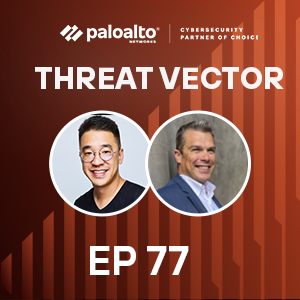
Join David Moulton and Nelson Lee as they explore the vital role of user experience (UX) in cybersecurity. Nelson, drawing from his background at Google and Apple, shares insights on how intuitive design can transform complex security challenges. The discussion highlights the impact of poor UX, using the Unit 42 Arcade platform as a prime example of successful design in incident response. They also delve into how AI and LLMs are set to revolutionize UX, simplifying interactions and enhancing security platforms. Discover how prioritizing UX leads to greater adoption and more effective security solutions.
Protect yourself from the evolving threat landscape – more episodes of Threat Vector are a click away
Transcript
David Moulton: Today's episode of "Threat Vector's" a little bit different. We're recording here in the battery and there's a band that's warming up in the background. So for our regular listeners who are used to studio quiet apologies. We'll try to keep it to a minimum, but also we can't tell Dogstar to tone it down.
Nelson Lee: I want eyes and ears all the time watching for me, analyzing, figuring out what's going on. And you tell me what I need to know. And so I think that is the trick. Like I have systems. I have solutions. I have sensors. They're all working together and there's something watching for me and doing the analysis. And ultimately if something does happen that I need to know about you'll tell me. And, if not, you'll just take care of it. So that's where I think that's the dream. Just keep me secure. I don't even have to worry about it.
David Moulton: Nelson, welcome to "Threat Vector." I'm really excited to have you here. I've been wanting to talk to you about design since we bumped in to each other and this idea for this podcast came up.
Nelson Lee: Thanks, Dave. Great to be here. Super excited to be on "Threat Vector."
David Moulton: Talk to me a little bit about your journey from working on customer experiences at Google and Apple which are known for their very opinionated user experience and design to leading product engineering at Palo Alto Networks. How did UX become such a central theme to your career?
Nelson Lee: Yeah. So I should share I am in engineering by training education. And so UX was actually relatively new for me as far as when I finished school, joined Google as a product manager. And Google's an interesting place in the sense that, you know, you saw Google search is very simple and there weren't many designers when I was actually there. Like I was the designer. And the only time in my life that I got carpal tunnel was moving pixels with a mouse to do my own design. And I oversaw video search at the time and I remember using Adobe Fireworks and like trying to get a pixel perfect and literally that like gave me carpal tunnel. But, you know, at that point I knew design and, you know, we're all users. All right? End of the day, the cool thing about user experience is your designing for humans and often times for problems that you encounter. And so super important and just native to everything that we do. And that foundational. Now in my journey having then gone from Google to an Apple it was eye opening for me because at Apple you -- like they sweat the pixels. Like that's where I was able to see like oh that's a pixel off. Right? Or that font is like not quite right. And I got to sit and rub shoulders with some of the best and brightest designers out there, you know, that worked on for instance IOS, latest versions of IOS, all the way to what we're designing for the online store, Apple online store. And so sort of it was I remember it was such a bizarre world for me because in -- as an engineer you sort of rise through the ranks. There's a lot of different things you learn and sort of the breadth of what you learn and there's sort of an analogous world in design. Like there were -- of course they had the hierarchy of who was the creative director, art director, but then you had these sort of like different principles like information architecture, like the interaction design. How did the system flow together? How did it fit in? And you didn't visualize it yet because you're too busy worrying about the functionality and how things tie together and how information was laid out. And then later you move to visual design to really render and make it beautiful and there are different problems that you're thinking about. And so I think for me that's where I really learned end to end great design. Now taking that forward for my career like design's really important. Like people judge. It's human nature. Judge a book by its cover. You know? So for my experience then having been in product really as a product lead and then moving then ultimately to a couple of start ups, that's where I really delved in to do UX and engineering building out teams, leading teams. And I've honestly toggled between engineering product and UX for most of my career. And so it's something I really enjoy and I think it's a comprehensive way to look at building solutions for humans.
David Moulton: So today we're going to talk about how critical UX is for cybersecurity. And some of your thoughts on why user experience can be a transformational force especially when paired with technologies like gen AI. We've got a ton to talk about today. So let's get right in to it. Nelson, why is user experience often neglected in cybersecurity products and what do you think some of the major consequences are of getting UX wrong?
Nelson Lee: Yeah. So I wouldn't say it's necessarily neglected. I just think it's hard, you know, both to put a lot of effort in to doing great UX and also cybersecurity's hard. Like you have a lot of different data or information types, how you position them, and then the actions you can take. I just think it's a lot to process and digest and you need a lot of subject matter expertise to get it done well. So I just think it's a hard problem period. And then having that expertise then in the UX to basically come in and design that right, you know, it's a lot of effort that I don't think a lot of companies actually need to do. Right? Now coming back to sort of what happens if you don't do it, right, well, you know people tend to gravitate towards products and solutions that make things easier. Right? So in some sense if you're good at UX it'll give you a differentiator among your competitors. But more than anything I think, you know, making it intuitive where if something isn't intuitive they won't do what they need to do to get the job done and your product just won't be as effective. Right? So sort of those two things as far as being subpar to your competitors and just not being able to get the job done are sort of the risks I would say.
David Moulton: So I've noticed that when things are hard humans avoid them. When things are easy they adopt them. And maybe the counter of the consequence of getting it wrong is what is the reward of getting it right and its adoption, maybe its loyalty, its speed, and your ability to get to mastery. Do you have an example that you keep in mind of where poor UX created an actual real risk or an operational challenge?
Nelson Lee: I think one that comes to mind is with Arcade. Right? So our platform that we built for retainer services. If it's really painful or takes a lot of energy to get something done, like for instance start a service, for instance an IR service, like time's money. Right? Things are happening in those moments. And so granted we would never not start work to get paperwork out of the way, but paperwork does slow things down. So to the extent that if you didn't -- like one problem that we solved with Arcade was how do we make self service for booking services and that takes speed and time in to consideration. Like it substantially makes it easier for customers to then get the service they need done and again like the longer you are going without getting that pen test done well maybe you have a vulnerability sitting out there that presents a risk. Right?
David Moulton: Right. And let's go back on something here real quick. I know what Arcade is. I've gotten to see it and know that it's a delight to use. But our listeners may not know what Arcade is. Can you give me the snapshot of what Arcade is and what it seeks to achieve?
Nelson Lee: Yeah. So, you know, for customers that will buy IR services you would typically buy a retainer and with that retainer you have a bucket of hours that you could use in case -- and it happens within let's say the span of a year. And you can also use those hours for proctor services whether it's a pen test or table top exercise. Now this sort of product has traditionally been done through email. Right? Like, "Hey, I signed up for [inaudible 00:07:50]." Great customer success measure that I'm emailing. And so what we essentially built was a digital product for the customer to manage the retainer services. And so in that regard you no longer have to email someone to know, "Oh, how many hours do I have left in my retainer?" Right? What services do you offer? Or even booking services. And not to mention the other aspect of this that really helps customers is when a breach happens and you're digging through your email to find that email address or phone number to contact when you're, you know -- when things are bad, if your emails are down what do you do? Right? So what we've essentially done is created this place where someone can come and hit, you know what we call one click IR, and literally just type a message to us. We'll know who you are, customer. And then we'll reach out to you and, you know, we'll have full context about you. And not only that. We give you the affordance to provide us information about you. So about your network stack, about your login, about security products, your vendors. So when moments like this happen we have a follow the sun model. You know, we're on 24/7. Whoever jumps to serve you will have context around you and will be able to get that instantly the moment your message comes in.
David Moulton: Right. It's basically a dashboard that allows you to go in, see what you have access to, see how much of those services that you can consume, and then makes recommendations of, you know, how to get the most value out of things. And it's funny, Nelson. When you were talking about this a second ago of when something hits, when that crisis happens and you need the number, a couple years ago we broke a water line out of my pool in February in Texas. So it wasn't terribly cold, but it was not great. And water's going everywhere. And we were scrambling to find a plumber that would do outdoor work in Texas and most of them wouldn't. They were only indoor plumbers or they were commercial plumbers and on the weekend they're just not there. The biggest challenge we had was finding the phone number. Finding the phone number. As gallons and gallons of water were going. Turned out to be an irrigation line, not the pool line. So crisis averted. But still you would have thought the easiest thing, just pick up the phone and call, but when you don't have the number it doesn't do you any good.
Nelson Lee: For sure.
David Moulton: Who should UX designers look to for help in simplifying such a complex thing as cybersecurity?
Nelson Lee: So I think, you know, you start with subject matter experts. So in realm we have our IR consultants who are great. You know, when I started on the Arcade project like I didn't have much expertise in, you know, these services that we offer nor IR. And so working really closely with our customer success management team which, you know, who are the primary at least internal users at the beginning of Arcade was critical. Right? Like you really want to wrap your heads around what are the service -- what are the different services? What's proactive? What's reactive? What are the different things in a profile that we need? How do you structure that data? What are the flows? Like how do you even book a service? How does sculpting happen? What are the discussions that happen with the customer? And so in reality you want to go -- you want to take a really deep dive and immerse yourself in the world, really internalize it, and then the problems start to emerge of what you can solve. Right? What are the problems to solve? And then you build a holistic I like to say, you know, design system that we then went and built and executed that sort of encapsulates that entire experience. Right? So in this instance for our UX designer it's looking at what is the end to end customer journey. Like how does it start? Where does it end? And where does it make sense for me to build a product solution that fits in that flow and has to be holistic? Right? It has to take in to account all the different use cases. And so, you know, a lot to -- a lot that I'm throwing out there. But I think end of the day it's really, you know, I like to say like put yourself in those shoes and the user that you're solving the problem for. And then you really have to solve it end to end. Right? Really have a deep understanding of that.
David Moulton: Yeah. My career started in design and I love hearing that go get close to the problem. Go get close to the people who you're trying to serve. Understand what they're going through. And then work to figure out what things are momentum and inherited and you need to bring forward because that's what the culture expects. And then which things when you move to digital, when you move to a piece of software, really don't make sense to replicate anymore. So let's talk about how you identify and prioritize the jobs to be done. And you're looking at different UX problems that cybersecurity professionals have and those are very different types of roles. They have different kinds of pressures. You know, how do you go about prioritization and looking at the different problems and work flows that have to all come together for a great experience?
Nelson Lee: Yeah. I mean that's a really great question. That's part of sort of the magic. Right? So you want to identify the different pain points for the different sets of users. And really you're going to prioritize the ones that will have the biggest impact. Right? And so and you have to start somewhere. Like you're never going to -- you don't want to boil the ocean. So it's sort of this balancing act of sort of figuring out, okay, what's enough of a problem to solve that's impactful enough that makes sense? So for instance in building applications you don't want people ping ponging from one, you know, website to another website to another website. And in that case like Chrome extensions are great because [inaudible 00:13:19] situation. Right? And whatever tab you're on. But I think in any UX problem you really want to sort of try to find that little garden that you can build that doesn't solve everything, but at least it's a great starting point with potential to expand and build more. And so in this regard, you know, coming back to the Arcade example like the low hanging fruit here was people were just wasting a lot of time trying to even just book services and know things about the retainer. So we started there. Right? We could have easily started somewhere else like why don't we build an incident response, you know, platform to deal with that. But that would touch a fewer number of our customers. Right? Because in regard like maybe you upload an IRP, incident response plan, and all the customers would do that, but the number that get breached is a much smaller percentage. And so looking at this problem as far as building this digital platform we really looked at where could we get the biggest bang for our buck. And you also take in to account from an engineering perspective level effort. Right? And so you kind of find that magic balance of okay most impactful, time to market, makes sense, easy to build, and that's sort of where we let it out. And so you're kind of doing that mental calculus in your head constantly. It was really interesting because I came from the product side originally. I was building, you know, a solution in network security. And coming over here I thought it was really low hanging fruit. It's like, "What?" Like there's no platform to manage your retainer? Like I have to email someone? And that's just the way it's always been. And so --
David Moulton: It's the save button being a floppy, floppy disk. Right? Like it's just how it is. And at a certain point you're very used to it so you don't question it. And then somebody like yourself comes in and sees that and goes, "Really? That's what we're doing?" [ Music ] Nelson, cybersecurity workflows can be incredibly complex. How do you balance simplicity and power in UX design without dumbing things down too far for power users?
Nelson Lee: So I think there's sort of from a -- I'm a computer scientist so I think a lot about -- I use this analogy a lot. People that have worked with me will hear me say this a lot, but there are different types of search. Right? Like when you're searching let's say a tree. You start at the very top. And then you can go to the next level down and sort of traverse like all the information there and then you can go to the next level down, so level three, and then level four and onward onward. Then there's another way to do things which is you go deep really fast. You start at the top and then you just drill down to level 10 along one branch. Right? And that's sort of like breadth versus depth. I think the context of UX you definitely want to start with breadth first. Like you want to make it super intuitive where you land on the experience. You're like, "Oh. That makes sense. That's my home base." Here's where tasks are. Here's where people are. Here's -- you kind of get a high level view of where things sit and then you can easily then drill down. Oh, let me go learn more about, you know, I need to work with David on something so I want to drill in to the people section. I click on David and then I get a detail David's view and then I can keep drilling down more and more. Right? So I think that's one way to address it from just a philosophical perspective. And the other piece of this I think is really important that I touch a little bit on is the information architecture. Like how does information play and sit with one another? So like I might structure people, but people can own tasks. People can sit in work streams. And then I might have playbooks that have tasks, but then the work streams are sort of where tasks get delegated to people to go do. And so these are just sort of examples of how do you make it intuitive so that people understand the different data types intuitively enough to -- don't have to read a manual about it. And then they can sort of intuitively understand the relationships and actions between them. And then can again like keeping it simple, keeping it intuitive. I've always been one to, you know, ideally you should be able to pick something up and just use it intuitively banging around. Right? It's like what Steve Jobs talked about with the iPad. You know or even iPhone. Like it just needs to be intuitive and easy to use. And I think that's key. And again I think it's just a matter of making it easy for the person that's using things.
David Moulton: Yeah. I like it when I see something where the first time is wow that's cool and the more I look at it the more I get to of course. I think in design when we get to of course that's the design. That's the solution that we were looking for. And you then can't imagine how it could ever have been done any other way. If you get to, "Wow. That's cool," but not, "Of course," I think there's still work to be done.
Nelson Lee: Yeah. And I think absolutely there's that initial when you see something for the first time. You're like, "Wow. That looks really cool." And the question is do you still think it's cool 10 minutes later when you've been tinkering around with it because some things like, yeah, look cool initially and then it's not usable and then it's kind of useless. Right?
David Moulton: You've built a lot of UX forward platforms like Arcade and led innovations like voice control interfaces at essential. What UX principles from consumer tech have you applied successfully in enterprise security?
Nelson Lee: Trying to take a concrete example of what I was saying earlier in response so let's say an IR platform where, you know, I have playbooks, tasks, work streams and the like. Let's just say for instance I made the execution of a playbook really simple. Right? It was beautiful. In fact it really fit in. But if I didn't think too much about what instance when I'm going through an IR for instance that would execute that playbook, even instantiate it, and that was hard, then what was the point? Right? That moment of the actual, you know, execution of it could be great, but if I never sort of -- if it wasn't intuitive to get in to there that might limit my ability to get in to that. And then depending on how I structure the UX, if I really optimize for the wrong experience that could really hinder the user through the rest of the customer journey. Right? And so I think these are things you have to take in to account holistically and really just again think through the entire customer journey, embody it, and define, you know, a garden that you can build and continue to add on top of, but that was great on its own stand alone for a number of use cases in whatever you're cultivating in your garden.
David Moulton: Given your background in LLMs and gen AI, how do you see AI augmenting or complicating user experience in cybersecurity?
Nelson Lee: I'll tell you LLMs have been absolutely like mind blowing for me as far as the last two years in playing in this space. In regards to UX I actually think LLMs deeply simplify UI and UX. So we run lean here. Right? I have one rock star designer. Builds great experiences, really dives in and understands information architecture, builds flows and then also great at visual design. But it's expensive to build UX and UI. Right? Like we have to design it right to really understand it and then have to throw engineering at it to build like a react app or a mobile app. And the beautiful thing about an LLM is it's like talking to someone. Almost all information you can get it's done really well. Like if you can ask the right question and someone just gives you the answer, that's the easiest. You don't have to go fumbling or hunting through a UI or some, you know, bun or dashboard. Right? And so now of course I'm not -- there are instances where visual representations are important like graphs, charts, and the like. And I think those are still important. But having LLMs now my hypothesis on this it will greatly simplify UI/UX. Because the reality it's like asking someone. Like, "Hey. So tell me about that, that, and that." You don't even care about the instructions and how I go hunting for it. You're just going to give it to me. And I think this is like a game changer literally. So as LLMs get more powerful all the talk right now is about agents and what agents can do for you, how they can hunt for information for you versus just what data it's been trained on. I think this is going to be a huge paradigm shift for how we interact with systems. It's going to be much more natural, much more like how we talk to one another.
David Moulton: So AI and LLMs get a lot of hype on exactly this sort of simplification. But what do you see happening with AI being in the background maybe dynamically changing the UX on the fly to meet the user's needs? And I think about this as a problem that we saw years ago where we said when you come in and you first have your experience it's simple and it's clean and we're going to move you through. But over time that product would mature with you and your skills based on triggers, based on number of hours involved in the product. We were never able to deliver that. But now I think with this idea of LLMs and AI reacting to the user and exposing new capability, new functionality, it might be possible. Is that a direction that you're interested in? Maybe you're already working on that.
Nelson Lee: Yeah. No. I absolutely think so. I think if say for instance your job is to go through a workflow, a series of different tasks, right, the LLM can be smart enough to know, "Oh, I know you're contextually in this." Like the LLM can be applied in a bunch of different ways. One. Where are you in that actual flow? Defining out the workflow. And when I'm in a workflow what to show you. So I think sort of the power of the LLM at this point is it unlocks the huge level of personalization. But again coming back to an actually UI interface I think, you know, in a more traditional product sense where I have these web components and I'm hunting like the dynamic nature of wanting to show and have that be dynamic it's sort of what I'm pass -- like I am hunting for something or you're being proactive and showing it to me before I even reach that state. And that's sort of how today non generative AI personalization and AI works. Right? So when you're on Instagram and you're swiping through depending on what you engage with behind the scenes this might solve something different. Like say you responded really well to the, you know, guitar show and they'll show you more guitar shows. Right? I think in the context of UI I think UI will continue to exist, but coming back to an assistant. Like an actual assistant person that you trust, you can talk to, get information out of, I can see that being almost a comprehensive enough of an experience. They can show you different things too. Like maybe I need to collect some information from you and I show you a multiple choice button click and then you click it and you give it to me versus typing. And that's a simplification for you so you don't have to type more or click. So I do think yes you can definitely adapt the technology to automatically change an existing UI, but I think at a more fundamental level the paradigm will shift very drastically. Now I'm not saying like all UI will go away. There's also a danger with swapping UI components behind the scenes or to a user because we get used to things being a certain way. Right? I come home and if my dining table's not where it's normally supposed to be I'm like scratching my head and really confused. And so those are things you have to be careful about. But I think more fundamentally I think the importance of that UI interface like I would actually -- and what I'm spending more time thinking about is what is the right interface to the LLM because that's the thing that's not going to change and the LLM will power the information that goes in to it which will be highly dynamic.
David Moulton: What are the key UX challenges that you've run in to with gen AI powered tools and IR and threat intel?
Nelson Lee: Well, I don't think there's so much out in market today. So I will talk a little bit about our experiences of what we're trying to build. And I think the first question is, you know, back when the LLMs came out and you had an AK window or whatever there wasn't much information you could put in to it. And so you had to design around it. You had to build solution around it. How do I feed it more information? How do I break up my problems in to smaller pieces? Now with, you know, Google's Gemini with the 2 million token context window a lot of that goes out the window. And so a lot of that engineering we did around user interface for really small context windows went out the door. It's like in the same way you don't have floppy drives, as you mentioned. And now I just download everything off the internet. It's just like a network connection. I get everything. And so, you know, I do think that the question again comes down to what can I do with an LLM. And we spent a good chunk of time understanding what were the use cases it can solve. What can it analyze? And what everyone knows about, it hallucinates. So how do you protect yourself against that? How do you design around that? How do you make it easy for a user who's asking LLM to do analysis for it, but then make it easy for the human to then verify whether it's true? Right? Maybe you provide snippets of what it's referencing or you always ask for what it's referencing.
David Moulton: I was at a presentation that researchers at Carnegie Mellon did on being a smarter user of AI. And when they talked about the 40 to 70% of the time the LLM hallucinates and now every single fact needed to be verified, there is a moment when you go, "It's actually more work to use the LLM if you can't trust it even if it's faster because it's making more problems for you faster." And then there is the fact that the LLMs want to please you. They're sycophants. And in that moment even the reference to where did you get this answer can be made up. So now you're two or three layers deep going, "Well, I've got a URL. I've got a fact. Now I've got to verify the URL and the fact and the source." So that to me is one of the big concerns when I see LLMs used on public data, on big systems. I think if you can control and write the prompt well enough you can put some guard rails around that. And I think -- I certainly think that's important inside of security is that we've got those guard rails and that confidence.
Nelson Lee: Yeah, and I think there's a lot of like neat things that I've seen people do. So for instance I can ask different models the same thing. Right? And then let's say I ask it 10 times. And then I have different judge models that then have jobs to evaluate the outcome and in some ways you're sort of then like taking the majority so to speak. But there are a lot of different ways that you can sort of help protect against that. And another one as I mentioned is let's say I had a synthesis task where, you know, I'm reading a bunch of articles and then it's summarizing something for me. What you can then ask it to do is like, "Hey, well, you know, for each point that you're making actually provide me the exact reference where you're getting this from." And then you can build UI around it where let's say I'm hovering over each point. It shows me like it renders the original document, brings me to where it's quoting. And I can do a quick verification. I just hover my mouse and, "Yep. Yep. Yep." Like that all exists in the references. Great. Now of course like maybe something, a point, was made further up in an article that it took and sort of twisted a little bit. So again you'd have to be a little careful. Understand your own risks. But from what I've seen personally is yes it might create more problems, but the value it brings is tremendously more than that.
David Moulton: So look in to the future a little bit. In cybersecurity software what role will UX play as environments get more automated, distributed, and intelligent?
Nelson Lee: I think it means -- I think it's an exciting time, but again it comes down to when we haven't -- I haven't seen AI do this yet, but again it's how do we break down really large problems in to more intuitive chunks. How do we then define, as I keep going back to my garden analogy, the different gardens I'm going to build? How do the gardens piece together in to a comprehensive estate, for instance? Right? And so I think we will act more as a higher level architect I would say and designer that then breaks problems down to have AI go solve it and bring together. Right? And again I think verification is a big piece of this. Like design verification. Like was that a good design? Did it cross any boundaries? Did I define the problem well enough for AI to solve? So I really see us up leveling our work moving forward.
David Moulton: Nelson, what's the most important thing that a listener should take away from our conversation today?
Nelson Lee: I think user experience is really important. You know, and that's why you're doing a whole podcast on it. And I think AI and UI will go hand in hand and really change the game for where we're going to head with how the world will look in the next few years. Like I think we're in the middle of a huge paradigm shift and, you know, I would encourage everyone to like jump on and ride that wave. You know, like literally change is coming. Or it's already here, for that matter.
David Moulton: Nelson, thanks for this awesome conversation today. It is always fun to geek out with a fellow designer. I think if you've put together your kitchen or you've designed a product you're in the designer club and I really appreciate how you shared your insights on how UX can unlock better outcomes and why this is going to matter more and more in this AI age.
Nelson Lee: Yeah. No. Thanks for having me. It's super fun to talk about, geek out on, and I know a lot of my designer friends wouldn't let me in to the club, but I appreciate you letting me in to it. [ Music ]
David Moulton: Well, that's it for today. If you like what you heard please subscribe wherever you listen and leave us a review on Apple podcast or Spotify. Those reviews really do help me understand what you want to hear about. And if you want to reach out to me directly at the show email me at threatvector@ paloaltonetworks.com. I want to thank our executive producer Michael Heller, our content and production teams which include Kenne Miller, Joe Bettencourt, and Virginia Tran. Elliott Peltzman edits the show and mixes the audio. We'll be back next week. Until then, stay secure, stay vigilant. Goodbye for now.


