Email remains the primary entry point for modern cyberattacks, leaving SOC teams under constant pressure. Analysts face a relentless stream of security alerts alongside an influx of phishing reports from employees, making it difficult to separate actual attacks from false alarms. At the same time, cybercriminals are evolving their tactics beyond simple text-based phishing, using malicious QR codes, complex social engineering, and brand impersonation to bypass standard security controls. To stay ahead of these multi-faceted threats without burning out, security teams need a single, intelligent workbench that streamlines triage, connects critical context, and accelerates response times.
To solve these challenges, we are expanding Cortex Advanced Email Security with new capabilities that provide security teams with a more streamlined, unified way to investigate and respond to email threats.
What’s New in Advanced Email Security
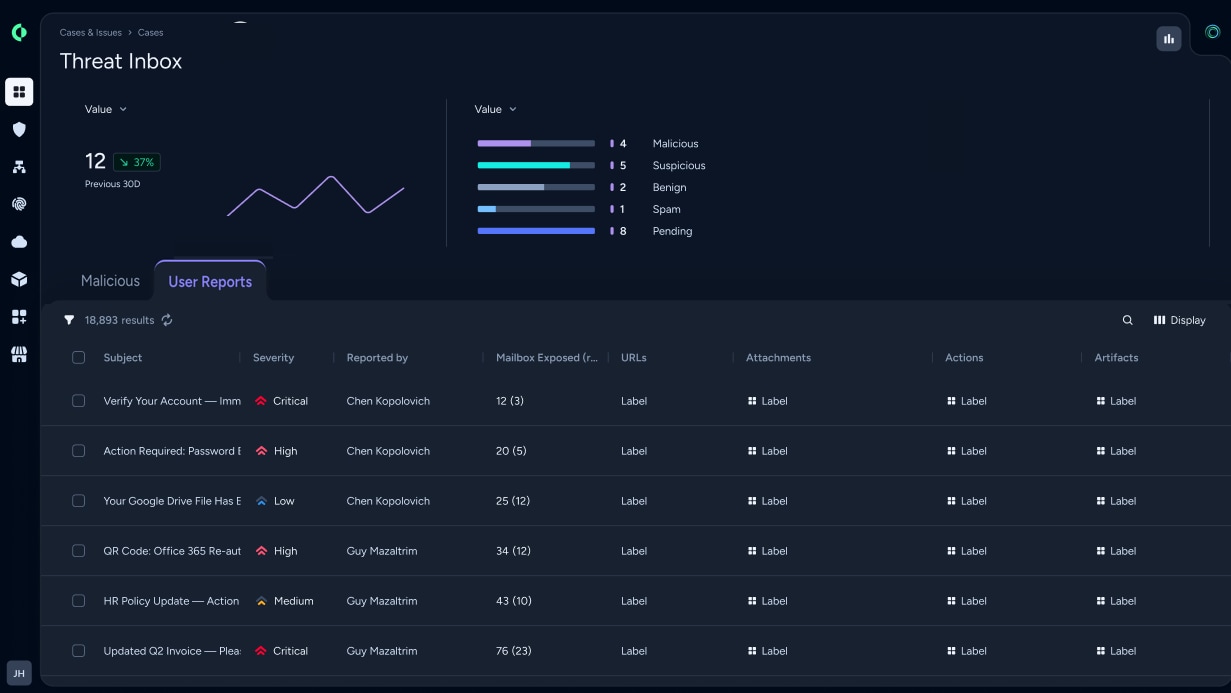
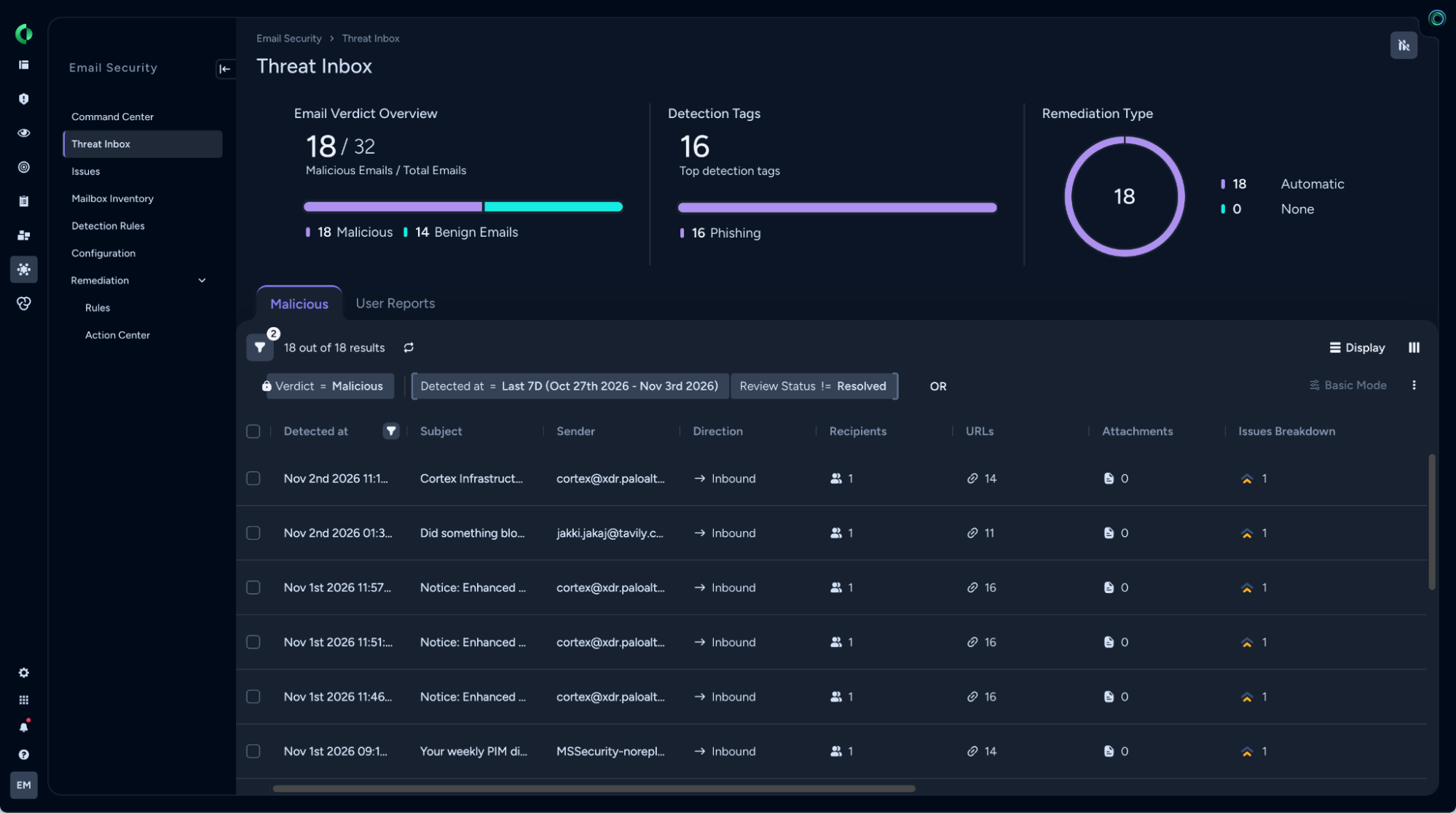
Legacy systems often force security analysts to navigate multiple dashboards to manage automated detections and employee reports separately. Threat Inbox replaces the legacy Malicious Email Inventory, combining malicious email detections and user-reported phishing into a single, cohesive workbench. Analysts can review automated alerts alongside employee submissions in one place, with concise AI-powered investigation summaries and verdicts accessible directly in the side panel for rapid decision-making.
Within Threat Inbox, a dedicated User Reports tab streamlines how teams handle employee-flagged suspicious messages. Identical user-reported emails are automatically grouped together to eliminate redundant triage, while built-in blast radius calculations reveal the organizational scope of an attack. Additionally, the integrated AI Analyst (beta) conducts automated investigations on reported emails, helping analysts understand and resolve user submissions faster.
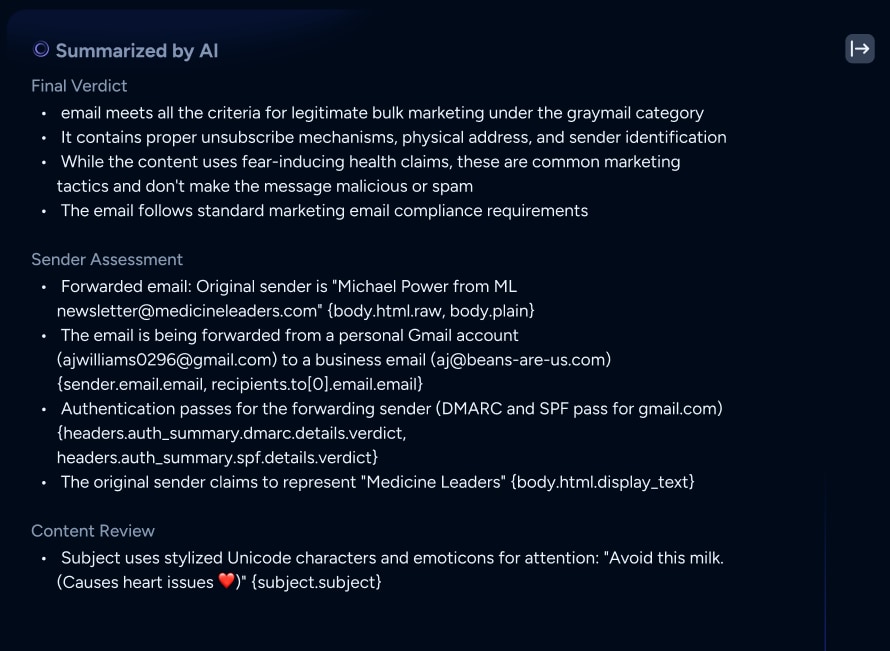
When evaluating a flagged email, gathering data manually on recipients, links, and intent takes valuable time. With the new AI Overview feature, analysts can access an AI-generated summary directly from the Overview tab of any flagged email. This gives analysts immediate visibility into essential context at a glance, highlighting targeted recipients, suspicious URLs, attachments, supporting threat evidence, and the likely intent of the attack.
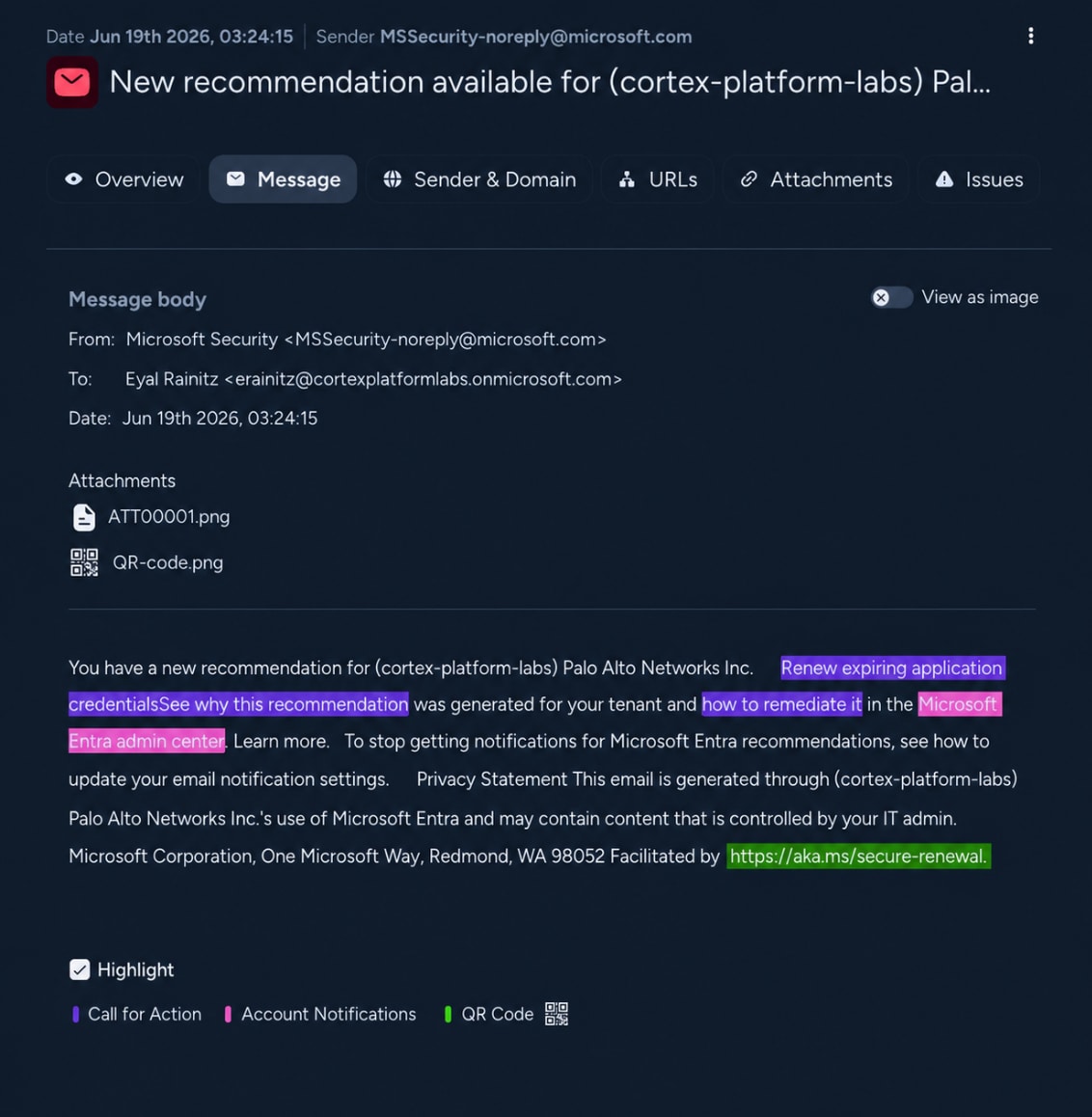
Attackers are also increasingly embedding QR codes within emails to bypass traditional text-based filters and redirect users to malicious landing pages. Advanced Email Security now features active QR Code Analysis designed to detect and investigate these QR-code-based phishing attacks. Threat analysis and indicators related to QR codes are seamlessly integrated and presented directly as part of the standard email investigation workflow.
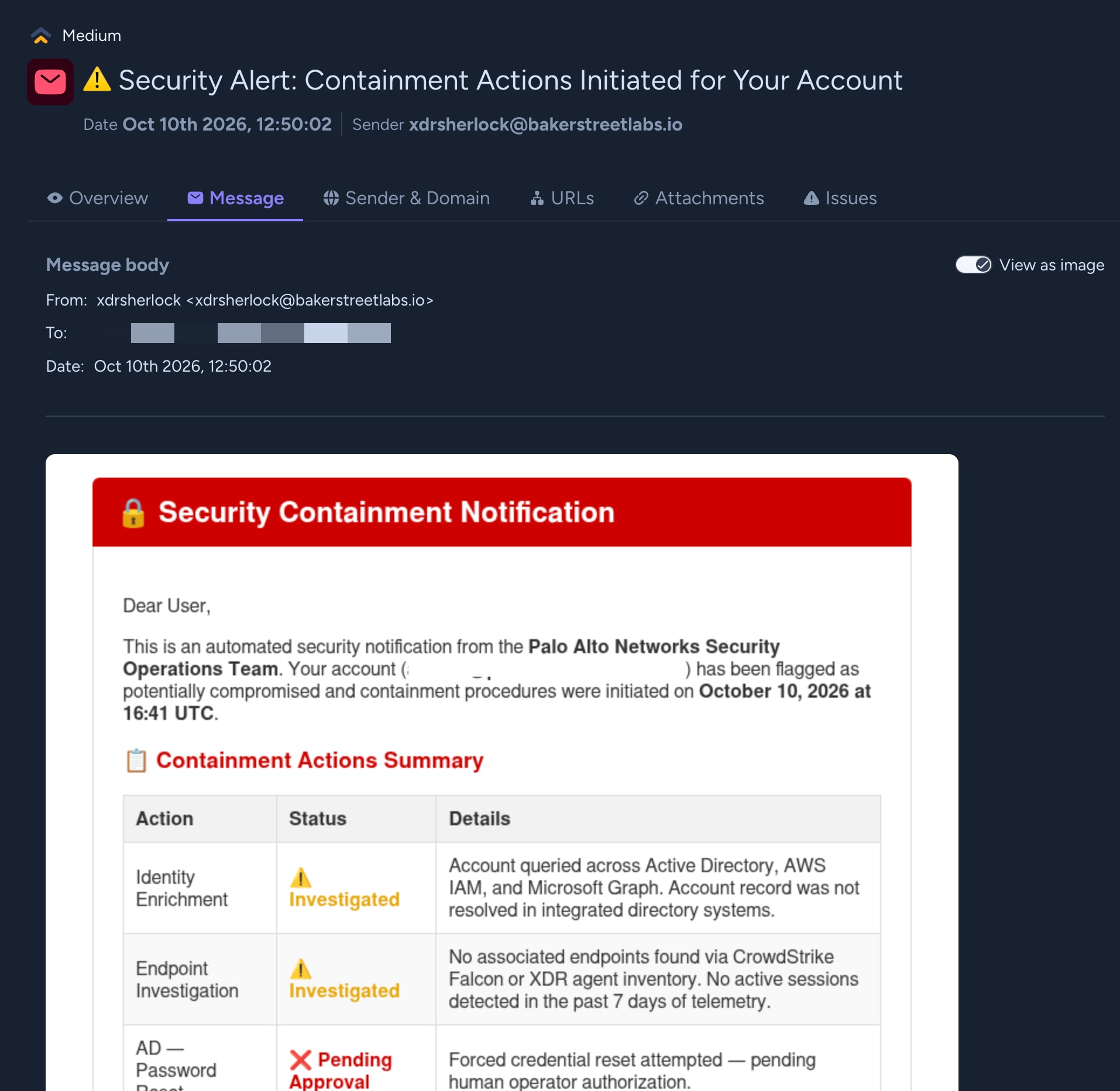
Finally, because phishing attacks frequently rely on visual deception such as fake login pages or spoofed corporate logos that text-matching analysis can miss, we are introducing Email Rendering & Vision Analysis. Analysts can inspect a rendered representation of an email alongside vision-based analysis of its visual components. This visual analysis helps identify brand impersonation, misleading visual cues, and subtle suspicious characteristics that might otherwise slip past text analysis alone.
Delivering Value to Security Teams
By bringing these advanced capabilities together into a single platform, Cortex Advanced Email Security helps organizations strengthen their posture in three distinct ways. First, centralizing automated alerts into Threat Inbox and automatically grouping duplicate user reports significantly reduces operational noise and eliminates alert fatigue. Second, AI-driven summaries cut down time-to-verdict by synthesizing critical evidence, targeted recipients, and attack intent instantly. Lastly, built-in QR code inspection and vision-based analysis empower your team to catch sophisticated visual evasion tactics that easily slip past conventional security filters.
Get Started Today
With a unified workbench and AI-assisted investigation tools, your security team can stay ahead of modern email threats with greater efficiency and confidence. Explore the new Threat Inbox and investigation features in your Cortex Advanced Email Security workspace today.